Save anything
from the web.
Whole seasons in one tap. A file manager that sorts itself. No ads, no trackers. All in one private browser.
Watch it work.
No mockups. This is DOWNLOAD IT, recorded on iPhone and iPad.
It finds it. You tap. It's yours.
Open any page. DOWNLOAD IT finds the videos and files on it, picks the right one, and keeps going until every last one is saved.
Every episode.
One tap.
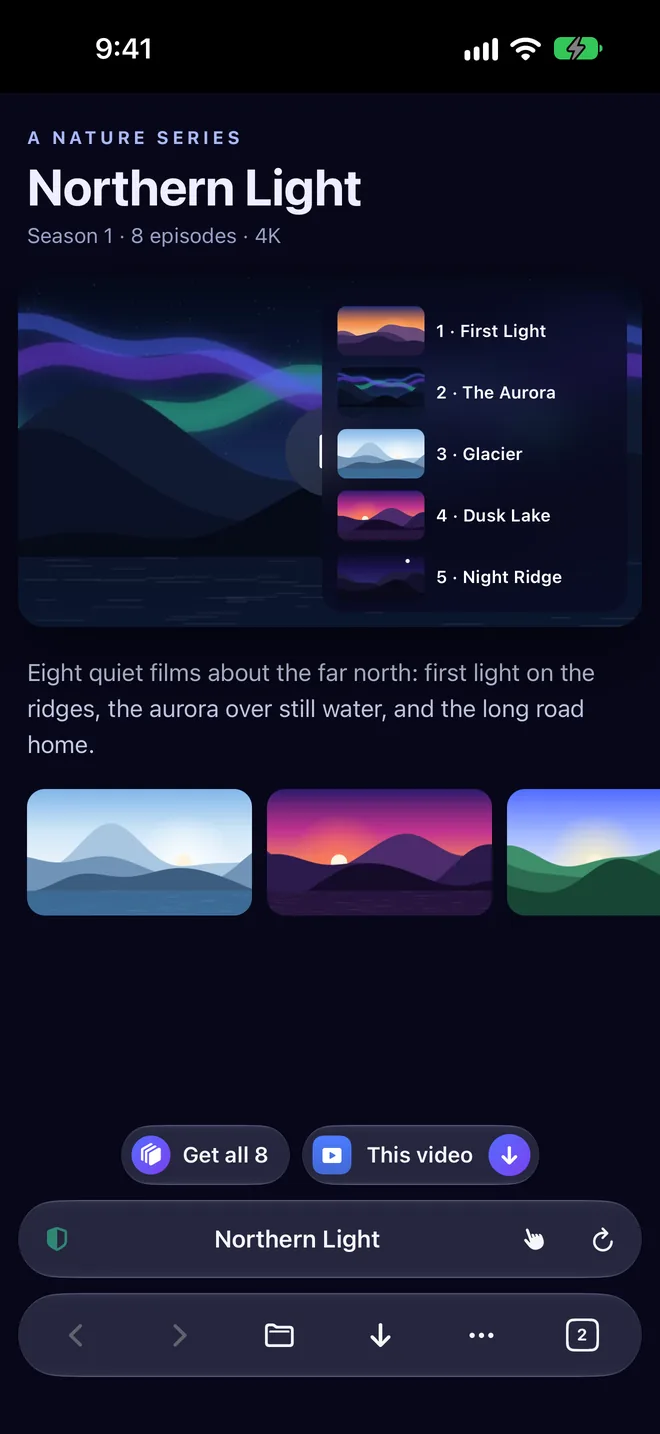
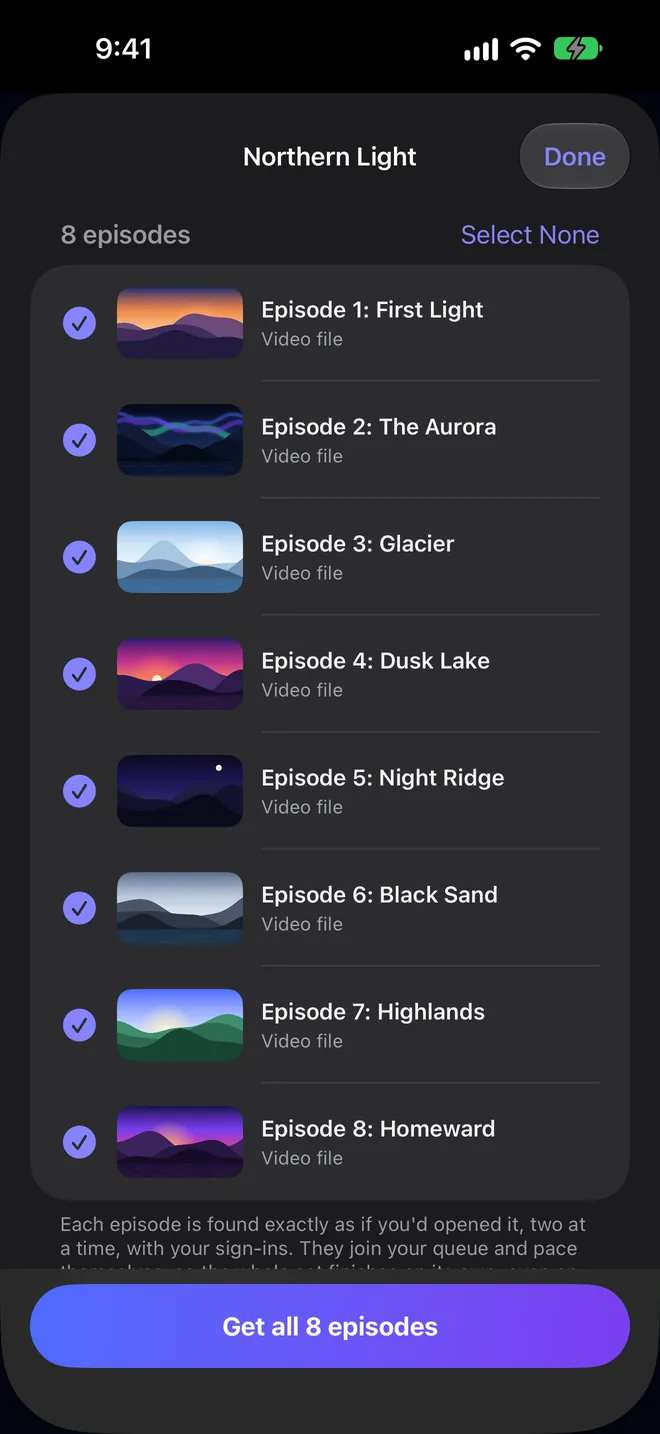
On a page with an episode list, DOWNLOAD IT finds every episode and lines them up with titles and artwork. Tap Get all, or just This video.
- Found exactly as if you'd opened each one, two at a time, with your sign-ins.
- They join your queue and pace themselves, so the whole season arrives.
The main player. At its best quality.
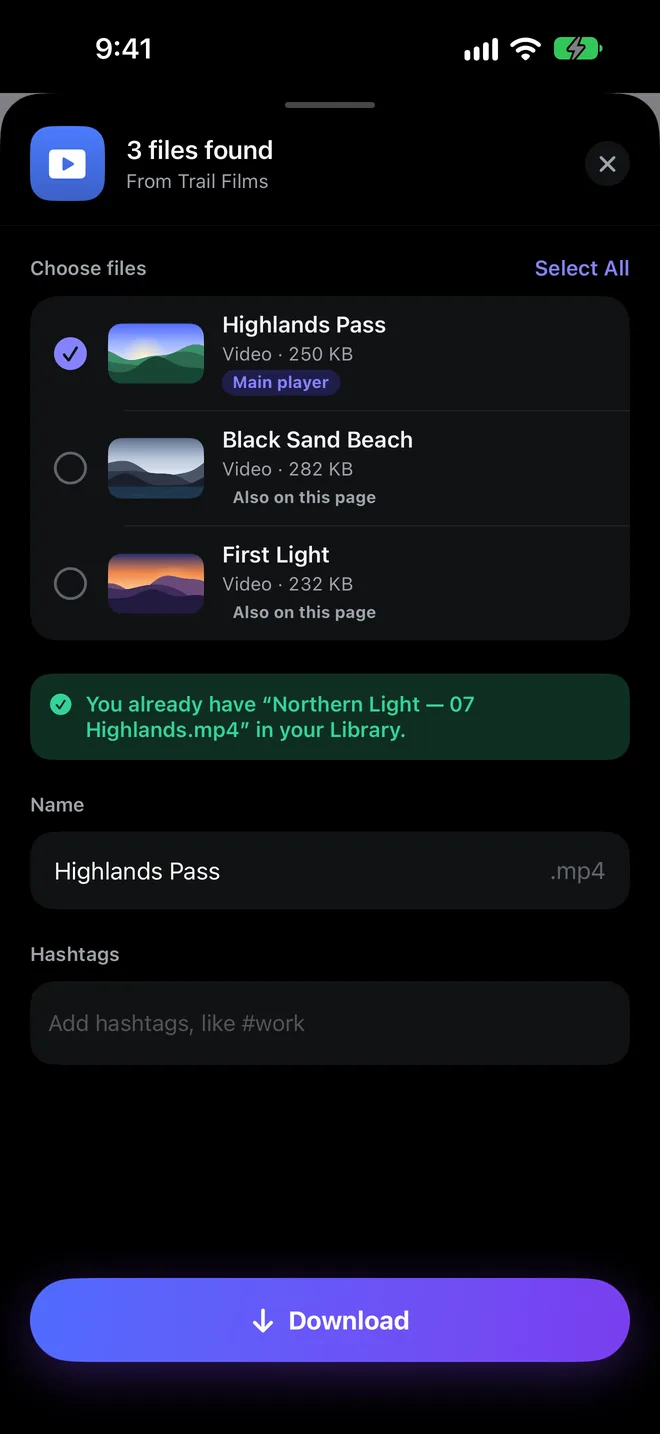
When a page has more than one video, DOWNLOAD IT shows each with its thumbnail, its size, and whether it's the main player or just also on the page. The right one is already selected.
- Already have it? It tells you before you download it twice.
- Name it and #tag it before it saves, so you find it in seconds.
If you can see it, you can save it.
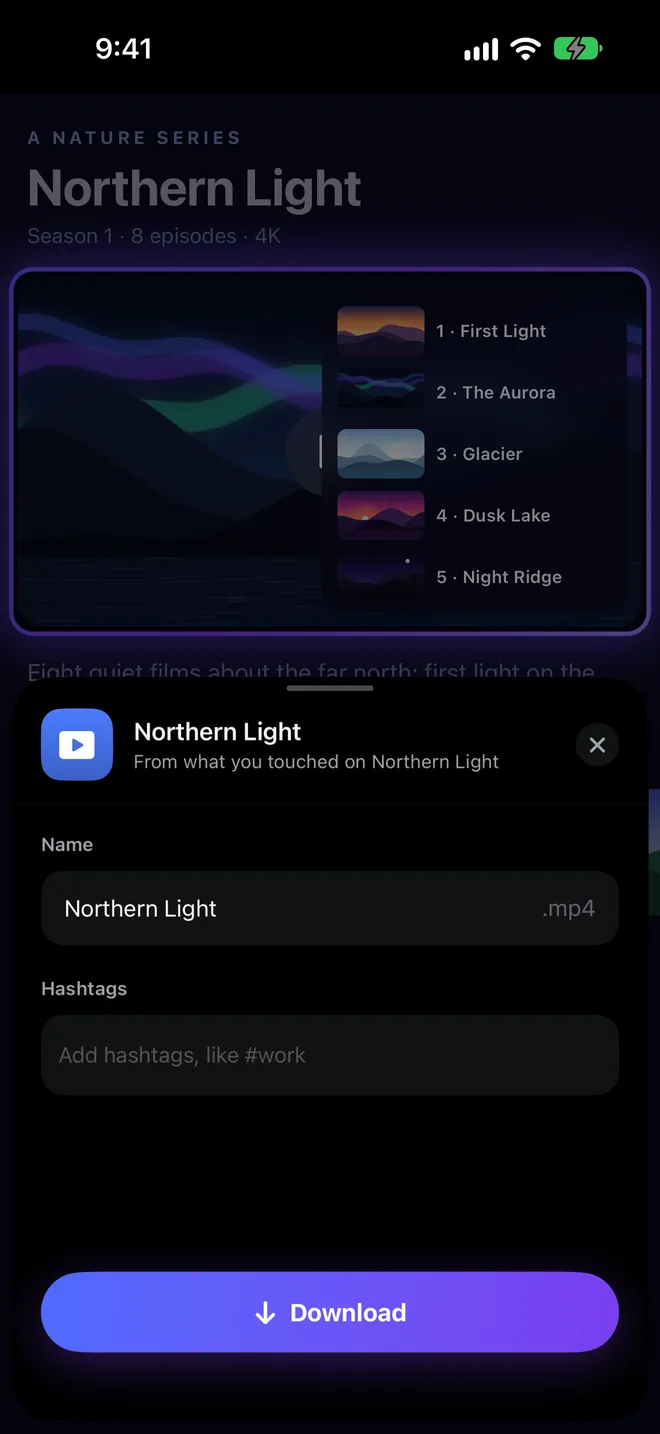
Some players hide their video. Tap the hand, touch what you want to download, and DOWNLOAD IT outlines it and gets the video inside.
Never babysit a download again.
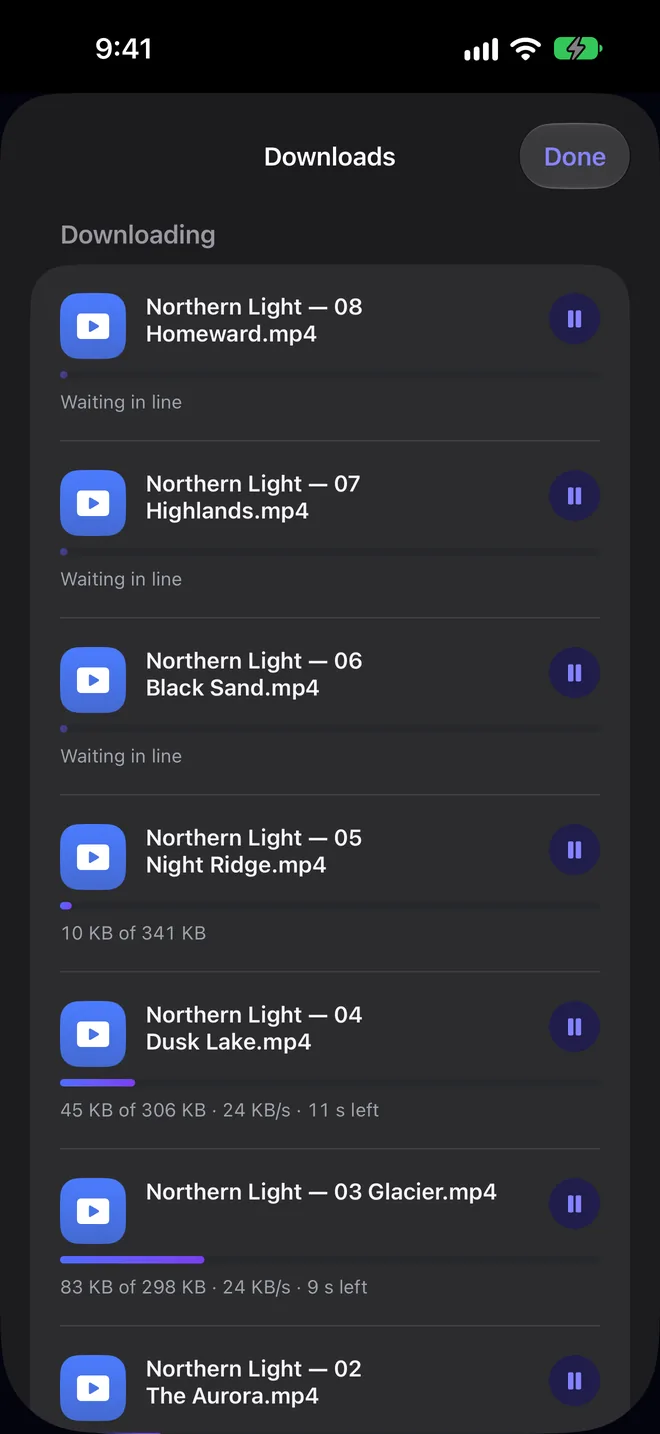
Downloads run in the background, up to ten at once, with the rest waiting in line. They resume by themselves, even when a site slows you down.
- Speed and time left on every download, always visible.
- Streamed video is joined into one MP4 on your device.
Your files. Finally sorted.
Everything you download or add lands in the right place by itself. Grid, list, collections, zip, scan and more.
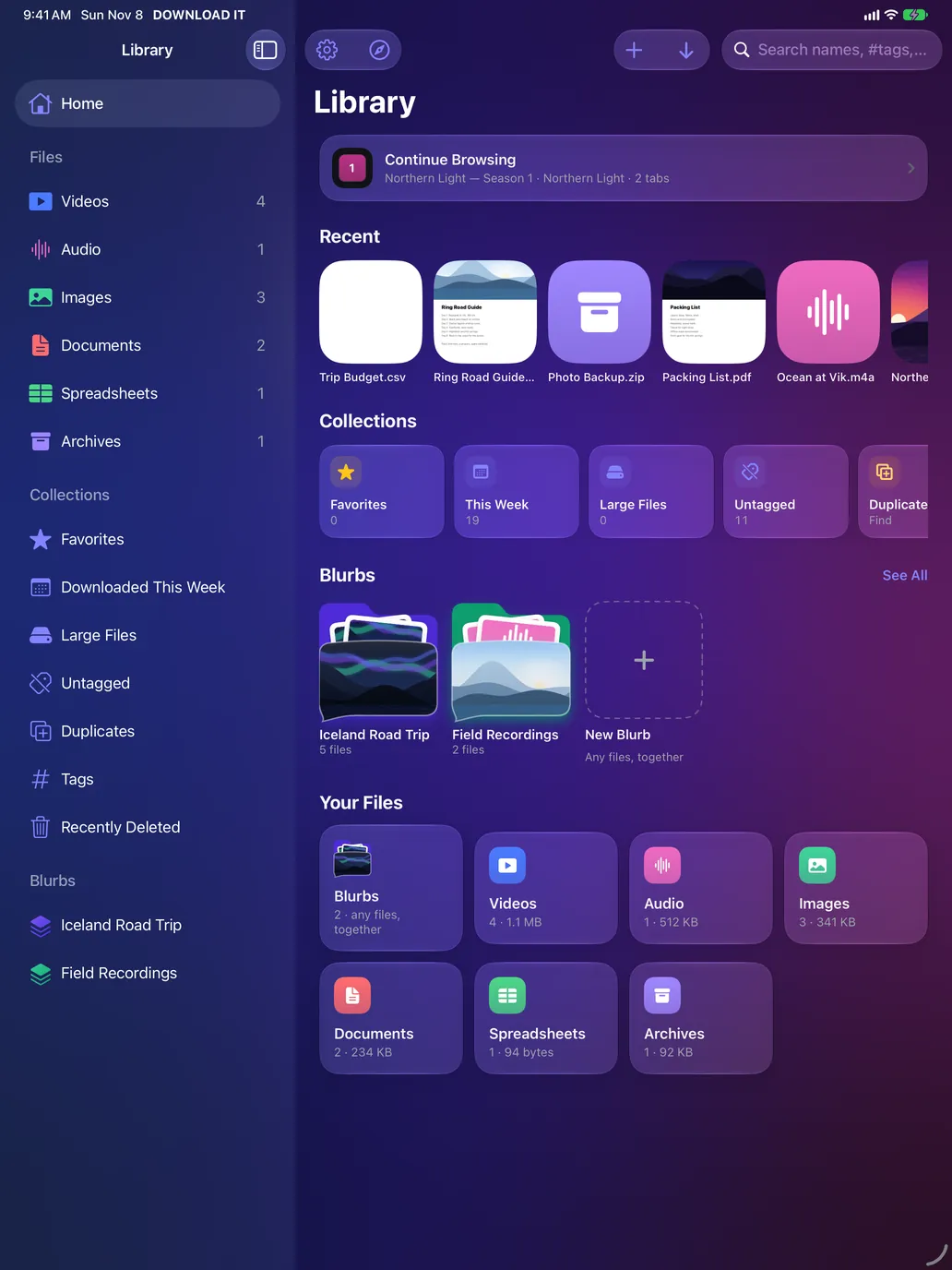
Open it and everything's there.
Continue Browsing where you left off, your Recent files, smart Collections like Favorites, This Week and Large Files, your Blurbs, and every file type in its own section.
- Videos, Audio, Images, Documents, Spreadsheets, Archives and more, sorted automatically.
- Import from Files and Photos, or send files from any app.
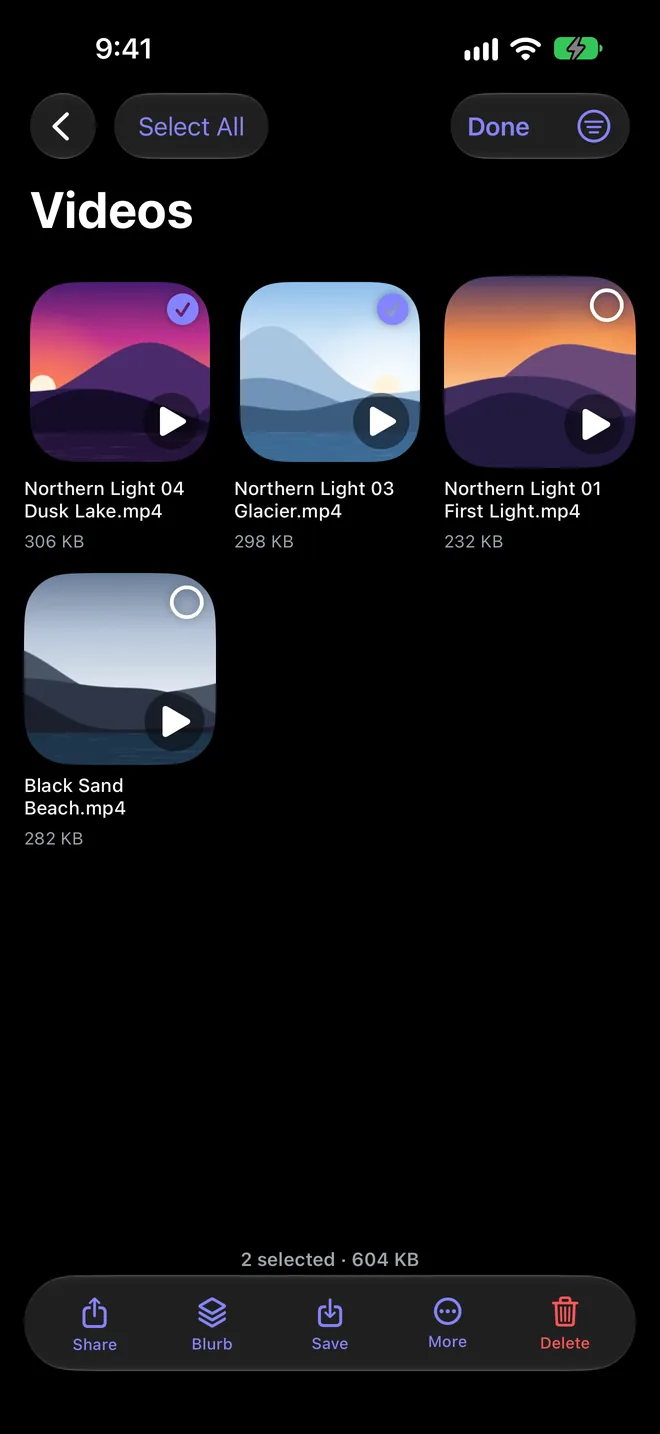
Share, zip, tag or move in one tap.
Select as many files as you like, then share them, put them in a Blurb, save them, zip them or delete them, all at once.
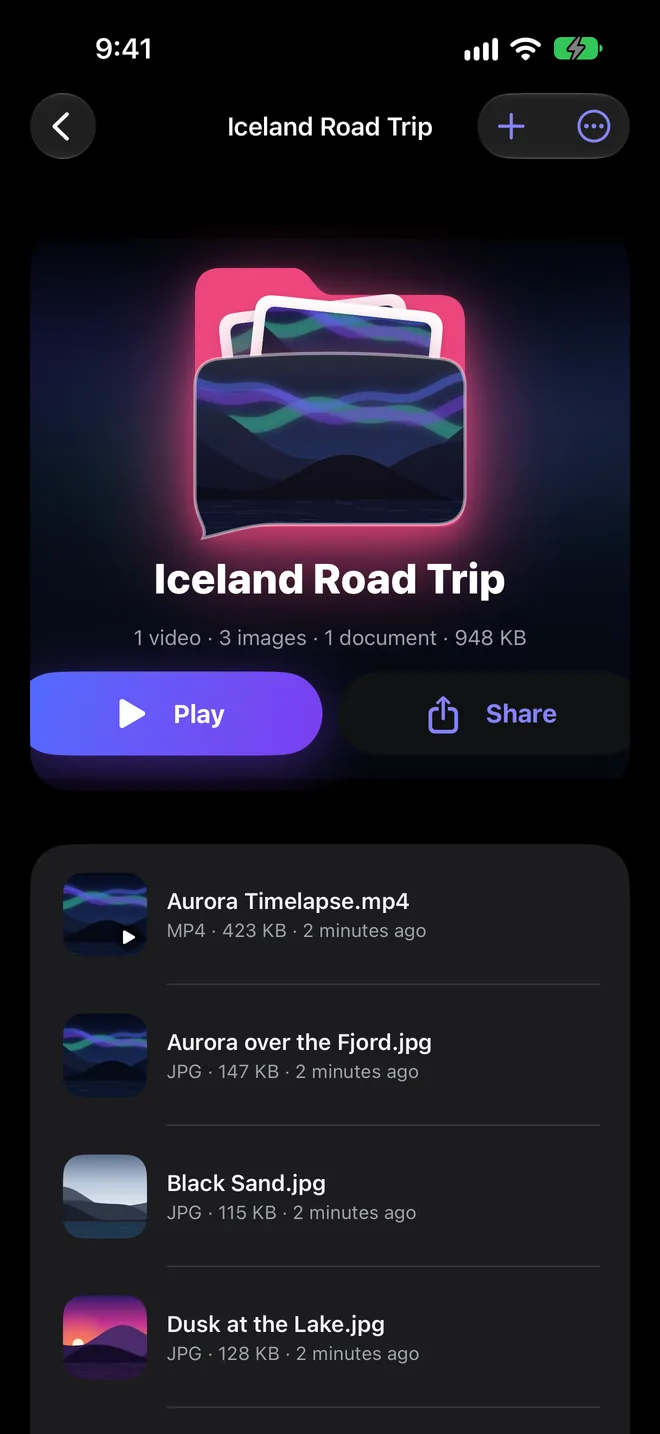
Blurbs: any files together, with your own cover.
A trip, a project, a client. A Blurb holds videos, photos, PDFs and audio side by side, with your own photo on the front. Play it all or share it in one tap.
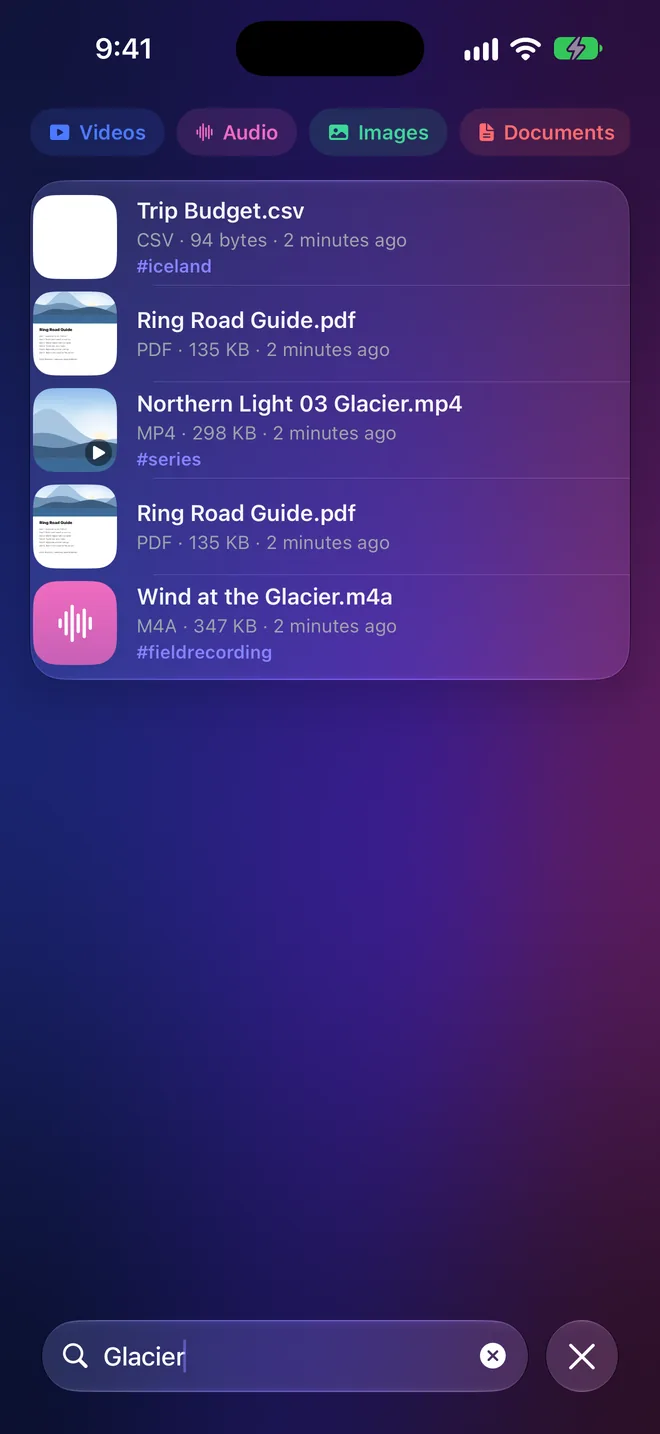
Find the words, not just the file name.
Search names, #tags, kinds and the text inside your documents. Filter by Videos, Audio, Images or Documents and jump straight to it.
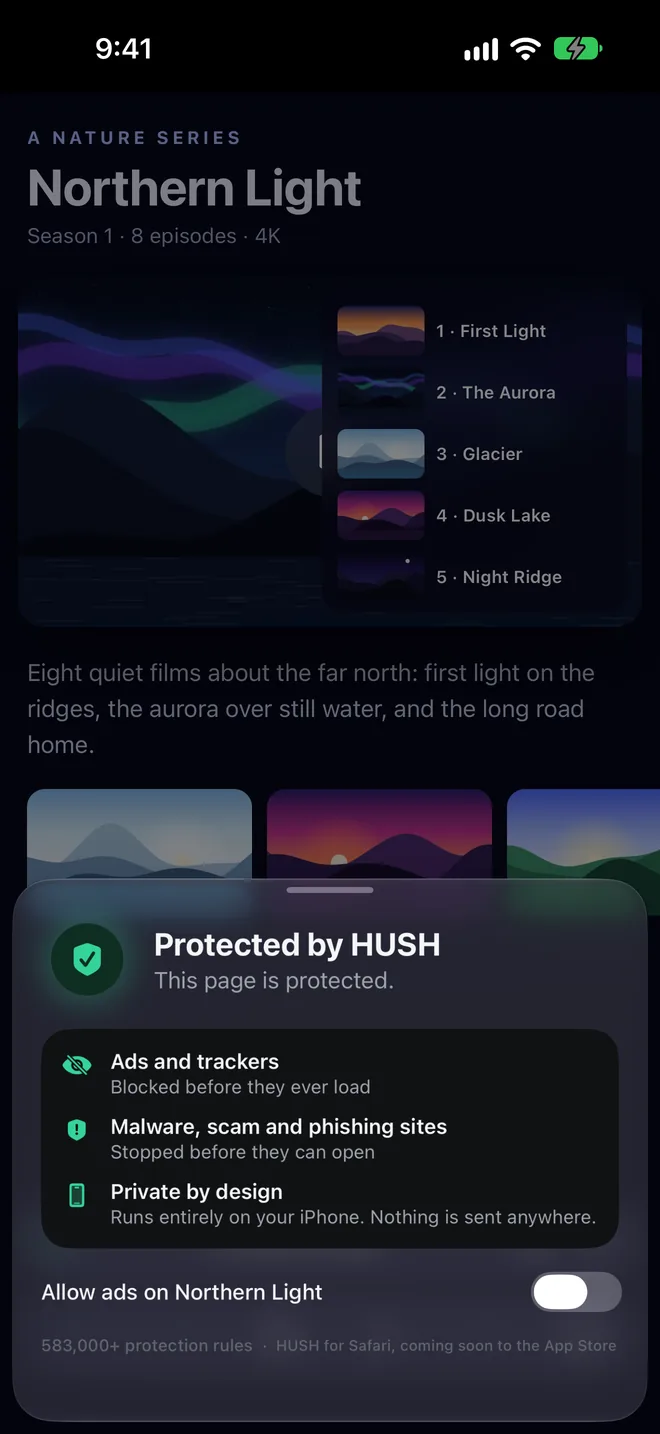
No ads. No trackers. No one watching.
Protection on every page you open.
HUSH ad blocking is part of the DOWNLOAD IT browser and on from the first page, with more than 583,000 protection rules running entirely on your iPhone.
- Ads and trackers blocked before they ever load.
- Malware, scam and phishing sites stopped before they can open.
- Allow ads on any site you want to support.
What you save is yours. Only yours.
No account. No analytics. Lock DOWNLOAD IT with Face ID, and keep your Library on your devices and in your own iCloud.
Bigger screen. Same magic.
A sidebar for every type, collection and Blurb. Grid or list, sorted your way. On iPad, and on Mac with Apple silicon.
One app instead of six.
Get the whole season
Every episode on the page, lined up and saved in one tap.
Learn moreTouch to Download
Touch a player and get the video inside it.
Learn moreFast and unstoppable
Ten at once, in the background, resuming by themselves.
Learn moreA Library that sorts itself
Collections, search inside PDFs, select many, zip and more.
Learn moreA player worth it
Picture in Picture, background audio, AirPlay, Save as Audio.
Learn morePrivate by design
Face ID lock, your own iCloud, nothing collected.
Learn moreThree taps. That's it.
Open the page
Browse like you always do. DOWNLOAD IT finds the videos and files while HUSH clears the ads.
Tap Download
One video, or the whole season. It saves in the background while you keep browsing.
It's in your Library
Sorted by type, ready to play, search, share or send to Photos.
Everything on the web, one tap from yours.
DOWNLOAD IT is coming soon to the App Store for iPhone, iPad and Mac.