The Photos app only accepts certain video formats. DOWNLOAD IT handles that for you, on your iPhone, so a downloaded video lands in Photos ready to edit and share.
Step by step
- Download the video in DOWNLOAD ITTap This video (or Get all for a whole season), or use the hand, then tap Download.
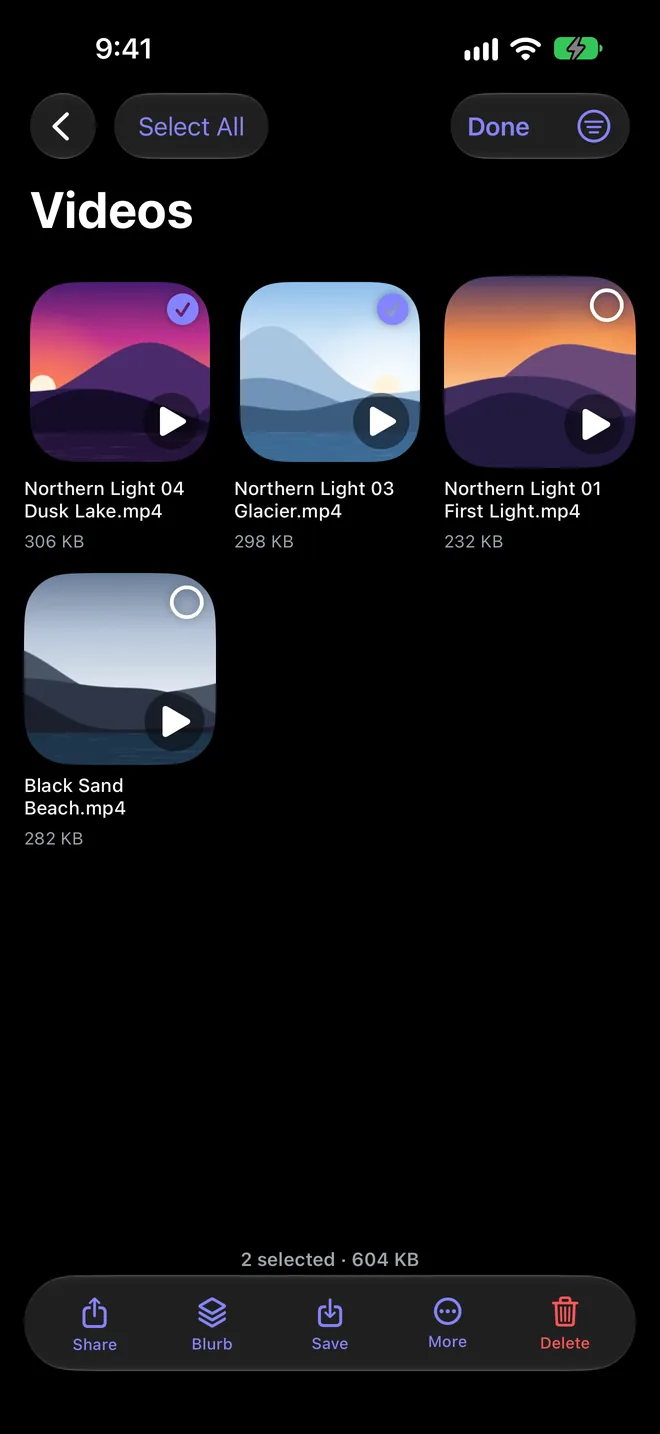
- Open it in your LibraryIt's waiting under Videos, with a thumbnail of the scene.
- Tap Save to PhotosSave one, or select many and save them all. If Photos can't take the format, DOWNLOAD IT converts it to MP4 on your iPhone first.
- Find it in PhotosVideos that open on a dark frame get a proper scene as their cover, so they're easy to spot.
Conversion happens on your device. Nothing is uploaded anywhere.
More guides

Everything on the web, one tap from yours.
DOWNLOAD IT is coming soon to the App Store for iPhone, iPad and Mac.