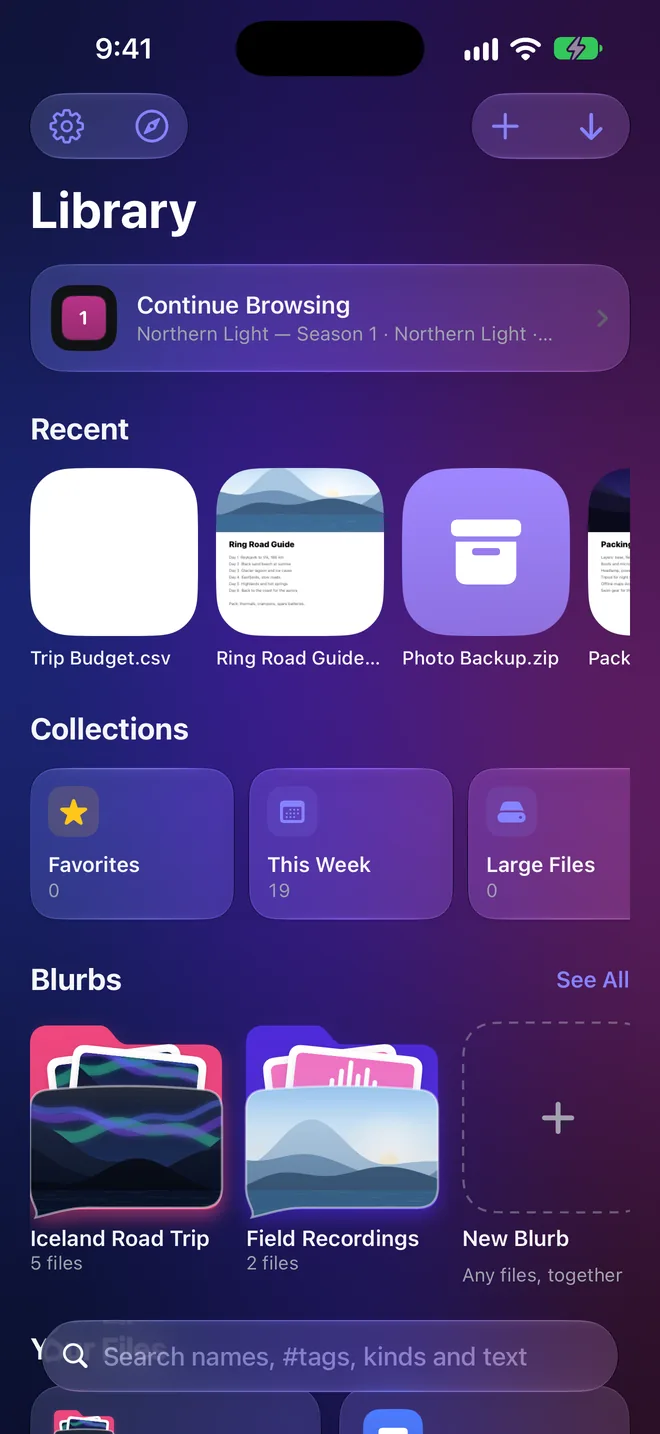
Folders only stay tidy if you keep them tidy. DOWNLOAD IT's Library does it for you: every file you download or add lands in the right section automatically, searchable by name or #hashtag, and synced through your own iCloud.
Step by step
- Add your filesImport from Files or Photos, or send them from other apps. Files dropped into the DOWNLOAD IT folder in iCloud Drive sort themselves too.
- Let the Library sort themVideos, Audio, Images, Documents, Spreadsheets & Presentations, Archives, Apps & Code, and Other. Nothing to set up.
- Make Blurbs for the things that belong togetherA trip, a project, a client: a Blurb holds any kind of file, with your own photo on the cover.
- Find anything in secondsSearch names, #tags, kinds and the words inside your documents, select many files to act on at once, and zip or scan right from the Library.
Your files stay on your devices and in your own iCloud. DOWNLOAD IT collects no data.
More guides
Everything on the web, one tap from yours.
DOWNLOAD IT is coming soon to the App Store for iPhone, iPad and Mac.