Downloading on iPhone usually means hunting through a Downloads folder later. DOWNLOAD IT catches every file a page offers and files it for you by type, the moment it lands.
Step by step
- Open the page in DOWNLOAD ITAny page with a download button or file link works.
- Tap the file link or the chipFile links open the download sheet instead of opening the file. If a page has several, the chip says how many, so you can pick them from one list.
- Rename it and add #tagsGive it a clean name and a hashtag or two before it saves, so search finds it later.
- Find it sorted by typeYour Library sorts everything into Videos, Audio, Images, Documents, Spreadsheets, Archives and more. Search even finds the words inside your PDFs.
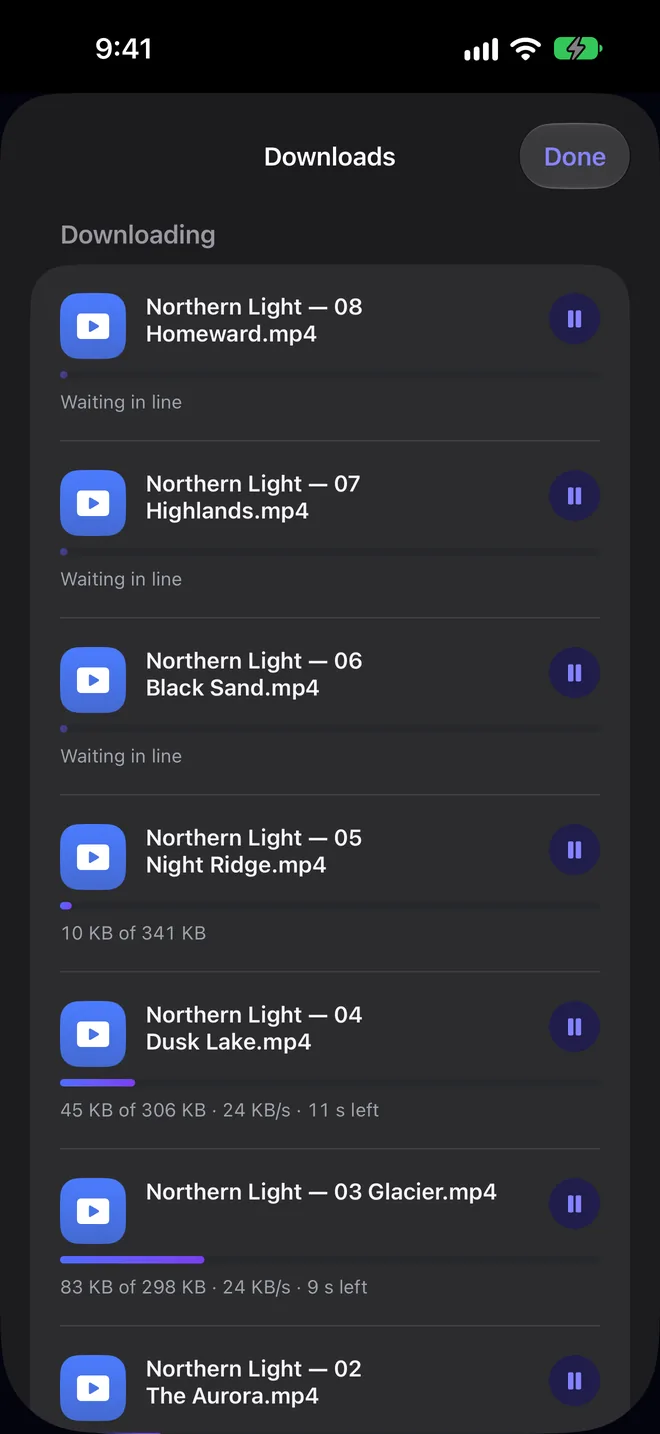
Downloads keep going in the background, and up to ten can run at the same time while the rest wait in line.
More guides

Everything on the web, one tap from yours.
DOWNLOAD IT is coming soon to the App Store for iPhone, iPad and Mac.